
New Client Guide
We're happy you're here! This guide will help you set up your account and get started with walks.
Text: 415-300-2445
Email: hello@sniffandgo.com
As a small business, there may be times when all team members are out in the field which can result in delayed response times.
The fastest way to send a note directly to your walker is by using the scheduling system:
Review and update information in your Client Account. We recommend starting on desktop for ease of data entry. To find your login: search your email for "Sniff and Go Account Invitation" or visit the portal login page.
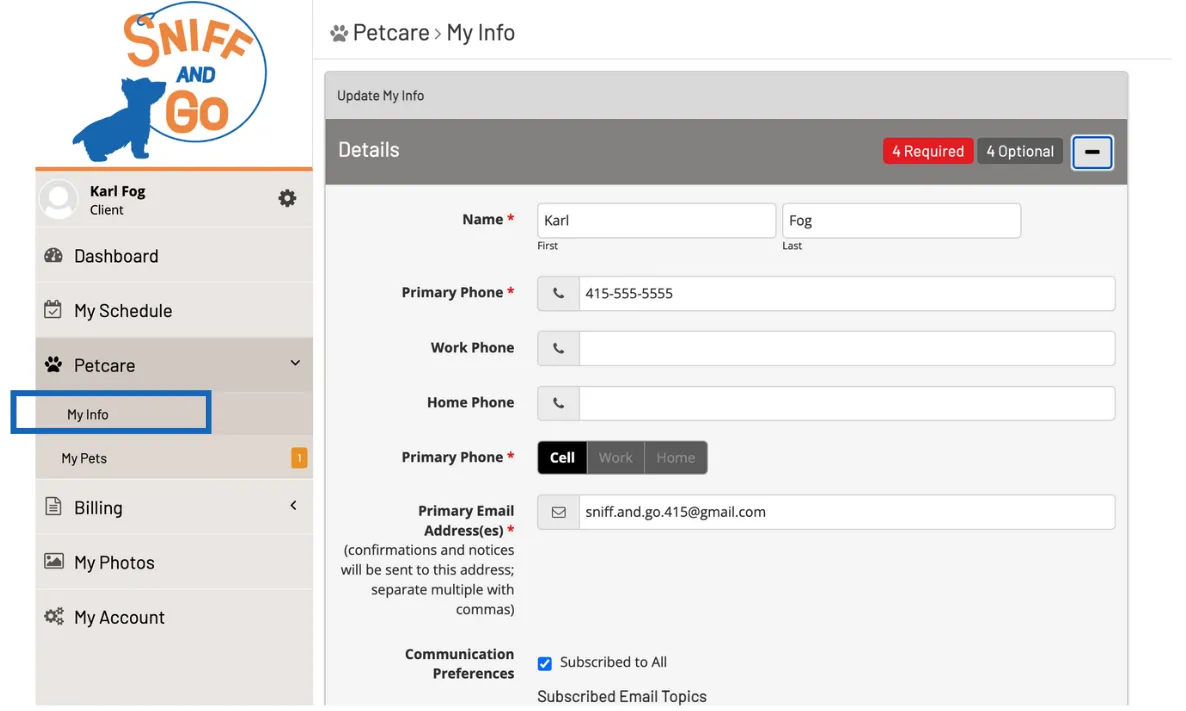
Menu > Petcare > My Info. Enter all required information and select Save before closing.
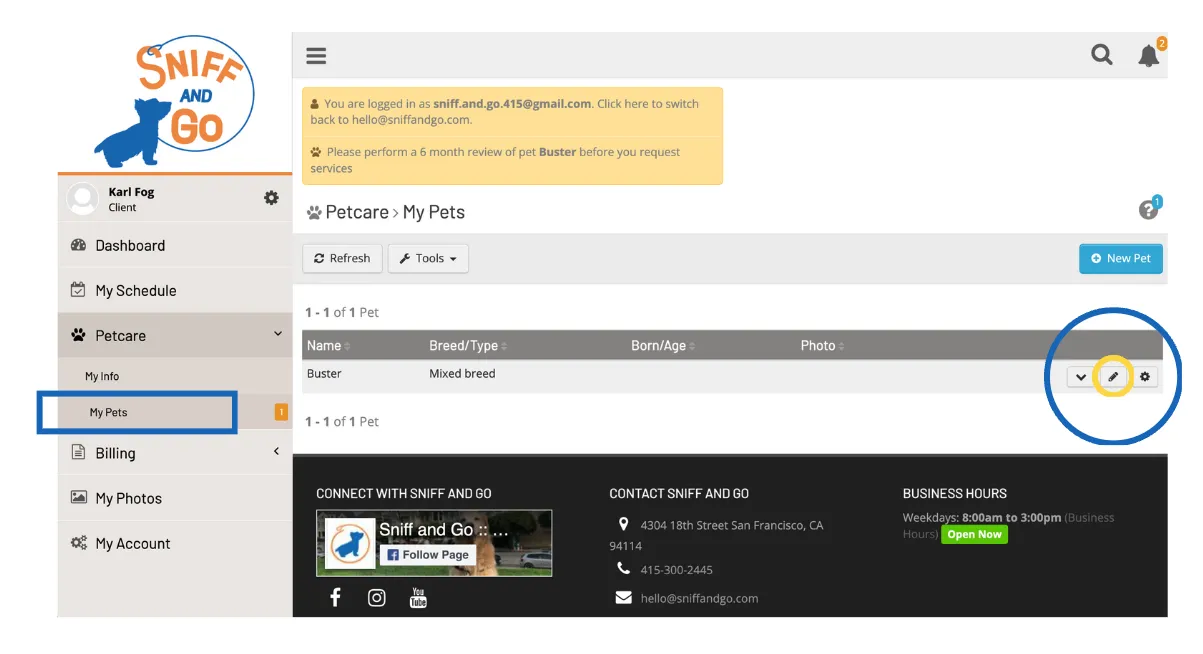
Menu > Petcare > My Pet. Select the Edit pencil icon, enter required information, and select Save.
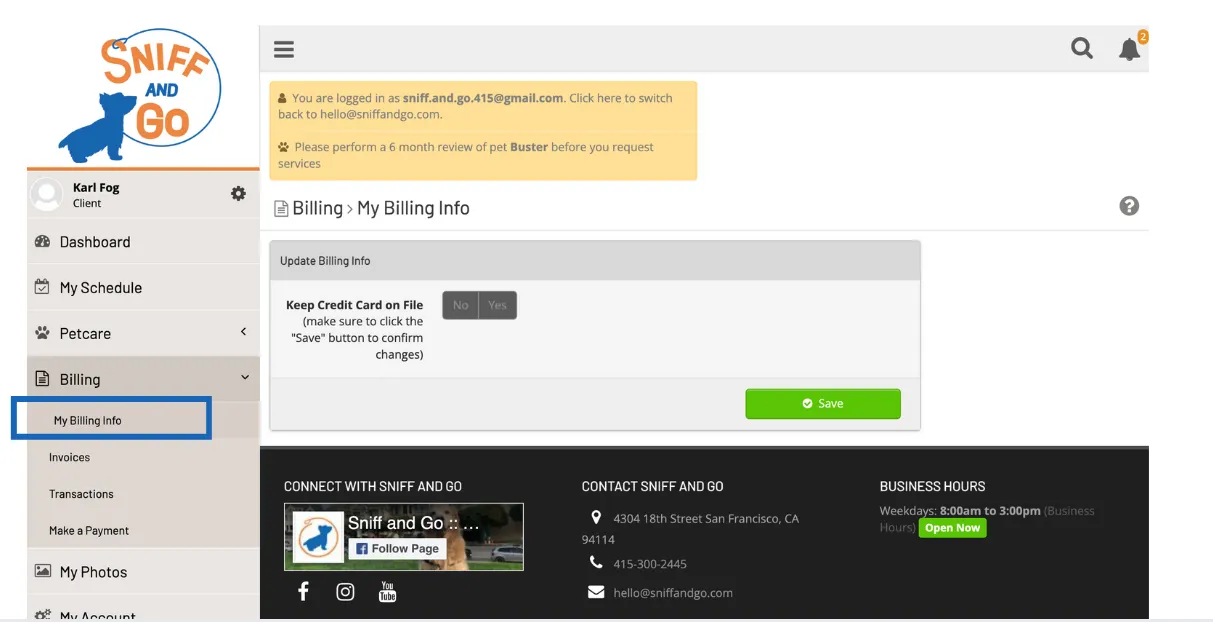
Menu > My Account > Billing. A valid credit card is required to reserve your time in the schedule. Payments are processed securely through Stripe.
Email a copy of your current vaccination records for each pet to hello@sniffandgo.com.
Download the Precise Petcare app to manage your walks, view journals, and communicate with our team. Log in with your Sniff and Go account credentials.


For Current Clients
Sniff and Go can send notifications for the following daily events, to up to two people at the same time:
To manage your preferences:
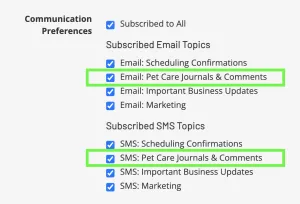
By toggling the Pet Care Journals & Comments preference, you turn on/off ALL three notifications: On The Way, Service In Progress, and New Pet Care Journal.
Membership Plan Clients: Daily walk cancellations can be submitted at any time! Cancellations do not lower the monthly rate. Your time in the schedule is held.
If cancelling before 10am the business day prior:
Select the date(s) in the schedule, then select "Cancel."
If cancelling after 10am the business day prior:
1. Select the date in the schedule
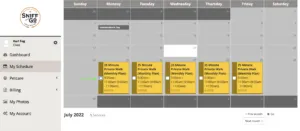
2. Select "Add a Note"
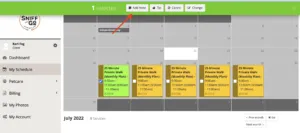
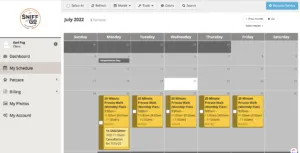
3. The Sniff and Go office and your walker will see the note as soon as it's submitted!
Flexible Walks: Confirmed walks can be canceled up to 10am the business day prior. After that, the schedule is finalized and a full charge will be processed.
Every Sniff and Go employee has completed federal, state, and local background checks plus policy and procedure training on safely entering and exiting homes.
Sniff and Go holds:
Please ensure all walkways to and inside your home are clear of debris and hazards, and dog-related items are defined in your Client account.
In-Service: The total time of the daily service request (25, 45, or 60 minutes)
Home Access: The process for getting to the door that opens to your dog
Front Door: The door that opens to your dog
Main Door: The first door that opens to a building before getting to the Front Door
Call Box: Coded entry to access the Main Door or to call a resident
Front Desk: Buildings with staff for loaned keys, elevator access, etc.
Primary: The primary Home Access option
Secondary: The secondary Home Access option
Two complete sets of keys
Primary: Set one held on file with Sniff and Go. Secondary: Set two secured in a lockbox on location with code provided.
Multiple sets of keys
Two sets for once-a-day schedules, or three sets for twice-a-day schedules.
Coded entry
Primary: Electronic door lock with code provided. App-based locks (August, Schlage, Amazon, etc.) connect to a private Sniff and Go phone line. Secondary: Keys on file and/or lockbox on location.
Two complete sets of keys
Primary: Set one secured in a lockbox on location. Secondary: Set two held on file with Sniff and Go.
Coded entry
Primary: Electronic door lock with code provided. Secondary: Keys on file and/or lockbox on location.
Your walker will make three consecutive attempts. If unsuccessful, they contact the office, wait 5 minutes for instructions, then try three more times. If still unable to access, the visit is closed for the day and the office will contact you about rescheduling.
Unknown wait times exceeding the requested service time are documented and processed at $1/minute.
Sniff and Go can make a copy of approved keys starting at $30. Each additional key is +$5.